Microsoft SharePoint
SharePoint
Your company's hub for knowledge, documents and teamwork
Build an intranet portal, manage documents and knowledge, and help teams work together. ESi covers planning, integration, migration and custom development to give you a SharePoint people enjoy using.
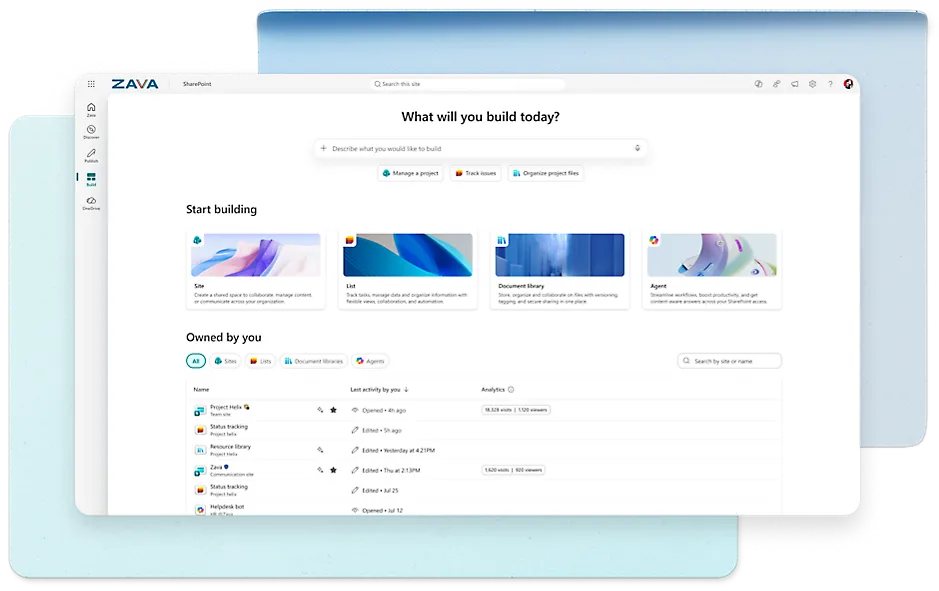
What SharePoint can do
-
Document management
Create, organize and share documents, with version control and co-authoring.
-
Knowledge management
Build knowledge bases, intranet sites and enterprise search so knowledge is easy to find and share.
-
Team collaboration
Team sites, shared calendars, task tracking and discussion boards keep people working together.
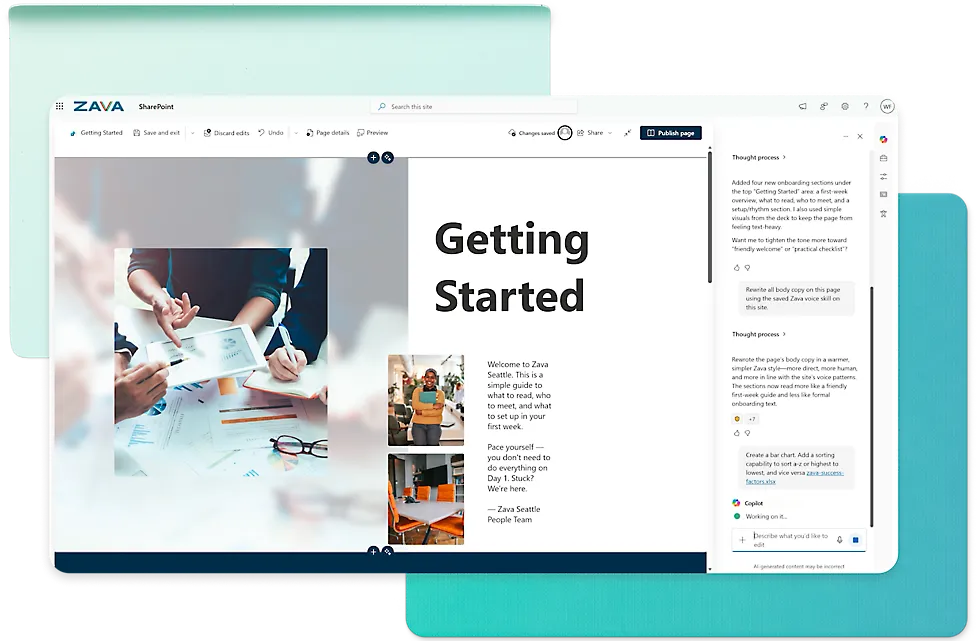
Intranet portal
An intranet that fits your brand
We build your portal around your brand and workflows: custom layouts and design, a central hub for news and dashboards, and permission controls that make it easy for colleagues to access and share information.
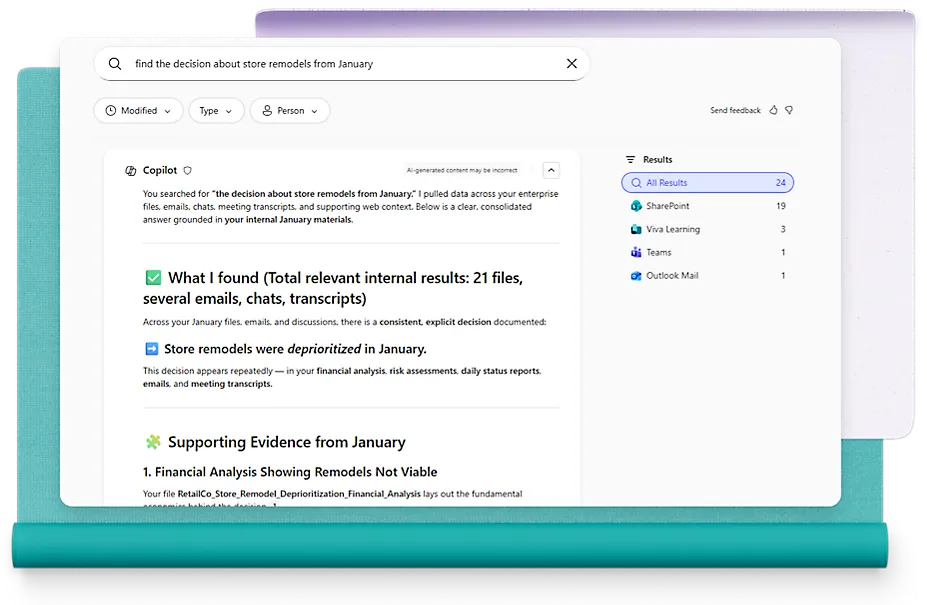
Precise search
Find what you need, fast
Search across sites, lists, documents and people. With Copilot, results are summarized into key points with related documents attached.
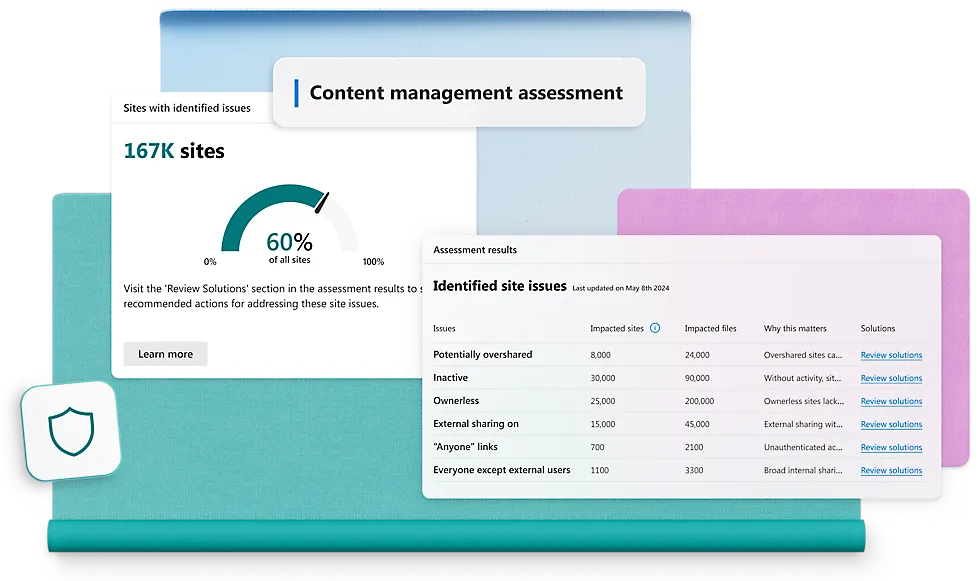
Security and compliance
Layered security controls
Permission management, data encryption and secure external sharing, in line with compliance requirements such as GDPR and HIPAA. A content management assessment finds sites with sharing risks and recommends fixes.
Teams and Power Platform
Works with Teams and Power BI
- Teams collaboration: add SharePoint pages, lists and document libraries to Teams channels so members can view, edit and comment in place.
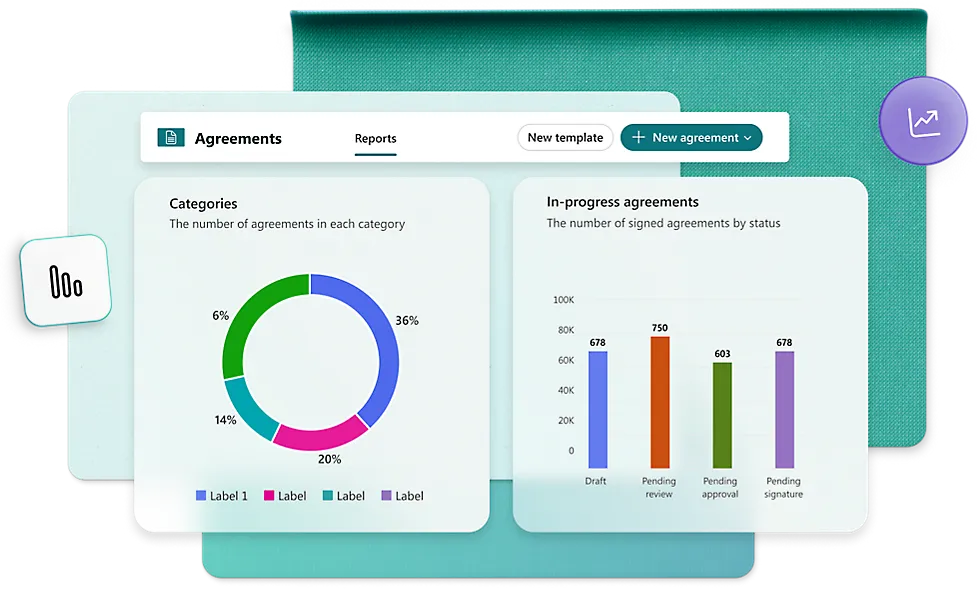
- Power Apps, Power Automate, Power BI: build project management apps, automate workflows and measure results with reports.
SharePoint in Microsoft 365, mobile and cloud
What is SharePoint in Microsoft 365?
A cloud service hosted by Microsoft for businesses of every size. Instead of deploying SharePoint on premises, any business can subscribe to a SharePoint Server plan or a standalone Microsoft 365 plan. Your employees can create sites and share documents and information with colleagues, partners and customers, and save files to team sites at any time.
How does SharePoint in Microsoft 365 differ from SharePoint On-Premises?
Cost
SharePoint Online comes as part of the Microsoft 365 suite and is billed per user, which makes it the less expensive option. Running SharePoint On-Premises involves purchase, maintenance, licensing and other costs.
Dedicated infrastructure
SharePoint in Microsoft 365 needs no special hardware or software infrastructure; it is included in Microsoft 365 plans. SharePoint On-Premises requires your organization to buy dedicated hardware and software infrastructure.
Updates
Microsoft delivers the latest updates for Microsoft 365. For SharePoint On-Premises, your IT department is responsible for all patches and updates.
Backup
Microsoft provides data backup, with some limitations, for SharePoint in Microsoft 365 users. For SharePoint On-Premises, your IT administrators need to build, test and maintain a backup system to protect your data.
Data storage
SharePoint Online stores data in the cloud. With SharePoint On-Premises, you store data on your local network.
Information security
Microsoft 365 applies strong protocols to SharePoint to keep security current with industry standards. For SharePoint On-Premises, your IT team is responsible for information security.
Customization
SharePoint in Microsoft 365 offers less customization, and users must contact Microsoft support before starting any customization. With SharePoint On-Premises, you are free to customize and add any features you need.
When should you use SharePoint in Microsoft 365?
- You want to cut the cost of dedicated infrastructure and IT maintenance
- You need SharePoint right away
- You want a scalable internal communication network for your business
- You want a stable information security system and ongoing updates
- You need to work with external users and bring teamwork and innovation together
When should you use SharePoint On-Premises?
If you:
- Already have on-premises servers
- Need tight control over internal systems
- Have demanding customization requirements
- Need more storage than Microsoft provides
- Need a business network space available only on the internal network
Complete SharePoint services
Our end-to-end services help you create the best SharePoint solution, a fully customized, user-friendly and feature-rich SharePoint platform.
SharePoint consulting
ESi's experts are ready to help at any stage of your SharePoint solution, including planning, execution, closing and audit. Our advice delivers results and is widely adopted by clients.
SharePoint integration
Our team implements new SharePoint solutions that work seamlessly with your existing systems, with ongoing integration with other Microsoft Office apps.
SharePoint migration and upgrades
ESi's experts deploy and update your existing SharePoint to the latest version, on premises or by migrating to SharePoint Online in the cloud, so your company benefits from the latest cloud architecture and features.
SharePoint development
Our team helps you build SharePoint solutions from scratch, add or change features for new business needs, or optimize what you have.
Build a SharePoint your people love
Tell us about your organization's size and needs. Our consultants will recommend how to implement or migrate, in the cloud or on premises.
Contact us
Leave your contact details and one of our team will get in touch shortly to introduce our SharePoint solutions.
- Phone: +886-2-2515-5633
- Fax: +886-2-2515-6535
- Email: sales@esi-tech.net